Smart Desks: The Features Worth Paying For and the Gimmicks to Skip
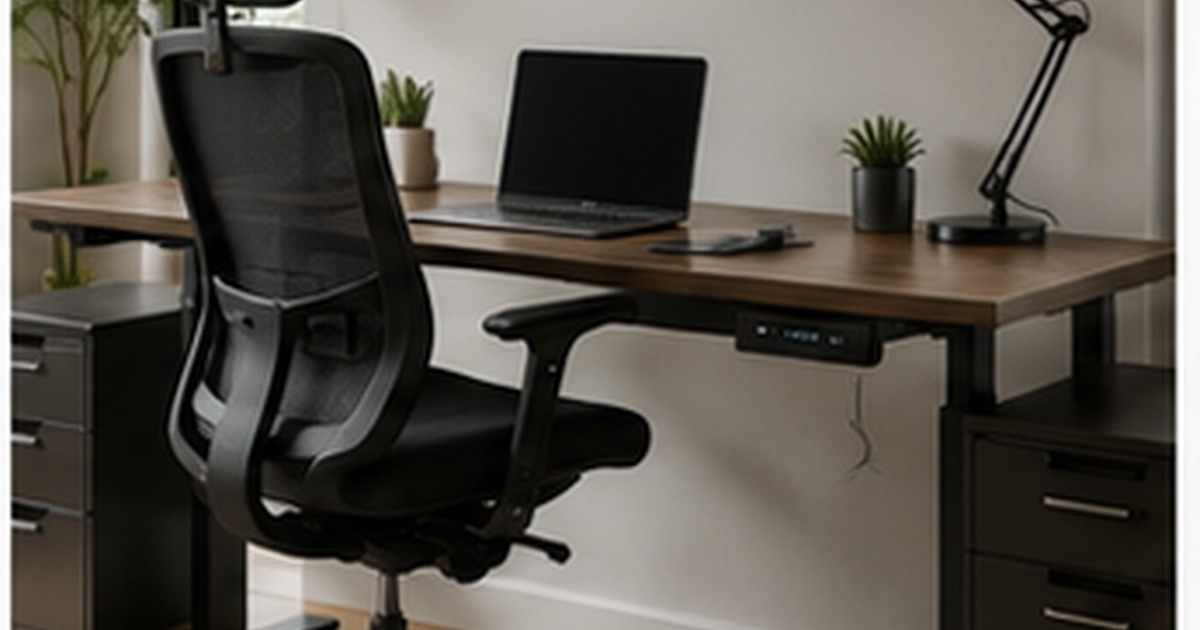
Desks have quietly gone high-tech, sprouting motors, memory buttons, built-in charging, app connectivity, and reminders to stand up. Some of these features genuinely improve a workday; others are the kind of thing that sounds great in the listing and gets ignored in real life. Since smart features add real cost and, sometimes, more that can break, it pays to know which are worth paying for and which are gimmicks. Here is an honest breakdown so you can spend on the features that help and skip the ones that just inflate the price.
What makes a desk “smart”
At its core, a smart desk is usually a motorised sit-stand desk, one that raises and lowers electrically so you can alternate between sitting and standing, with various extra features layered on top. The motorised height adjustment is the foundation, and most of the genuine value lives there; the rest, memory presets, charging, apps, sensors, ranges from useful to decorative. As with smart beds, it helps to see it as a collection of separate features rather than one magic product, and judge each on whether it solves a real problem.
Features worth paying for
A handful of features earn their cost because you use them every day.
- Smooth, quiet electric height adjustment: the core feature, and the thing that actually makes you alternate sitting and standing rather than giving up.
- Memory presets: buttons that return the desk to your exact sitting and standing heights, a small convenience that genuinely keeps you switching positions.
- Solid stability at standing height: not a “feature” on the box but essential, a wobbly desk at standing height is maddening and gets left down.
- Decent built-in cable management: a real help on a desk that moves up and down, keeping cables from snagging or stretching.
These are the features that support the actual goal, moving between sitting and standing easily, which is the real benefit of a sit-stand desk, as our guide to standing desks explains.
Features that are mostly gimmicks
Other features tend to look better in marketing than they perform in daily use. App connectivity and detailed “sit/stand analytics” sound modern but most people check them once and never again; a simple reminder to change position works just as well from a phone or a habit. Built-in screens, fancy lighting, and elaborate sensors add cost and, crucially, more electronics that can fail on a piece of furniture you want to last years. Even standing reminders, while pleasant, are not worth a big premium when a free phone alarm does the same. None of these are useless, but few justify a large price jump, and each adds something else that can break.
What to check so it lasts
The more technology a desk has, the more important durability becomes, because a desk should outlast several phones. Prioritise a quality, quiet motor and a sturdy frame over a long feature list, since these determine whether the desk still works smoothly in five years. Check the warranty, especially on the motor and electronics, which are the parts most likely to fail and the most expensive to replace. Stability and build quality matter more than any clever feature; a rock-solid desk with just reliable electric adjustment will serve you far better than a gadget-laden one that wobbles or breaks.
Is a smart desk worth it?
For people who sit for long hours and will genuinely alternate sitting and standing, a good motorised desk with memory presets is well worth it, the ease of adjustment is exactly what makes the healthy habit stick, where a manual desk gets left in one position. Beyond reliable, smooth height adjustment and solid stability, though, most “smart” features are nice-to-haves rather than reasons to pay a lot more. Spend on the motor, the frame, and the presets; treat apps, screens, and analytics as bonuses, not priorities. And remember the desk is only half the setup, a supportive chair and good ergonomics matter just as much.
Setting it up for real use
A smart desk only delivers if you set it up to make switching positions effortless, because the whole benefit rests on actually using both heights. Spend a few minutes getting your sitting and standing heights right, elbows at roughly a right angle and screen top near eye level in each, then save them to the memory presets so a single button returns you to the correct setup every time. The easier it is to switch, the more you will, which is the entire point.
Plan the cables for a desk that moves, too, since this is where motorised desks cause their own headaches. Leave enough slack and route the cables so nothing stretches, snags, or unplugs as the desk rises and lowers, using the built-in management or a few clips and a cable tray. A desk that yanks a charger loose every time you stand quickly stops getting raised. Get the heights, presets, and cables sorted on day one, and the desk becomes a habit rather than an expensive novelty parked at one height.
Frequently asked questions
What smart-desk features are actually worth it?
Smooth, quiet electric height adjustment, memory presets for your exact sitting and standing heights, solid stability at standing height, and good cable management. These directly support easy switching between sitting and standing, which is the real benefit. App analytics, built-in screens, and fancy lighting are mostly nice-to-haves that add cost and more electronics to fail, so they rarely justify a big premium.
Are app features and sit/stand tracking useful on a desk?
For most people, not very. The analytics are interesting once or twice and then ignored, and a simple phone reminder or a built habit prompts position changes just as well. The connectivity also adds cost and more electronics that can fail on furniture you want to last for years. Treat these as minor extras rather than a reason to choose one desk over another.
What should I prioritise in a sit-stand desk?
A quality, quiet motor; a sturdy, stable frame that does not wobble at standing height; memory presets; and a solid warranty on the motor and electronics. These determine whether the desk works smoothly for years and whether you actually keep alternating positions. Prioritise build quality and reliable adjustment over a long list of clever but breakable smart features.
How long should a good smart desk last?
A well-made motorised desk should last many years, but the motor and electronics are the limiting parts, which is why build quality and warranty matter more than features. Choose a sturdy frame and a quality motor from a reputable maker, check the warranty covers the electronics, and confirm parts are available. Treated well, the desk should outlast several of the gadgets you put on it.

Written by Adarsh Sharma
Furniture buying editor focused on practical room planning, material checks, and clear decision guidance.
Related furniture guides
Smart Beds: What the Tech Actually Does, and Whether It’s Worth It
Adjustable bases, sleep tracking, climate control: what smart-bed features really deliver, where they fall short, and whether the tech justifies the price.
Living With Power Recliners: Safety, Maintenance, and Real Use
What to know before living with a power recliner or electric furniture: safety around kids and pets, maintenance, power backup, and avoiding…